
Church hall rental booking form template
Or try it the way your customer would: the live demo opens at full width in its own tab.
Edit your flow from Claude, ChatGPT or Grok · MCP


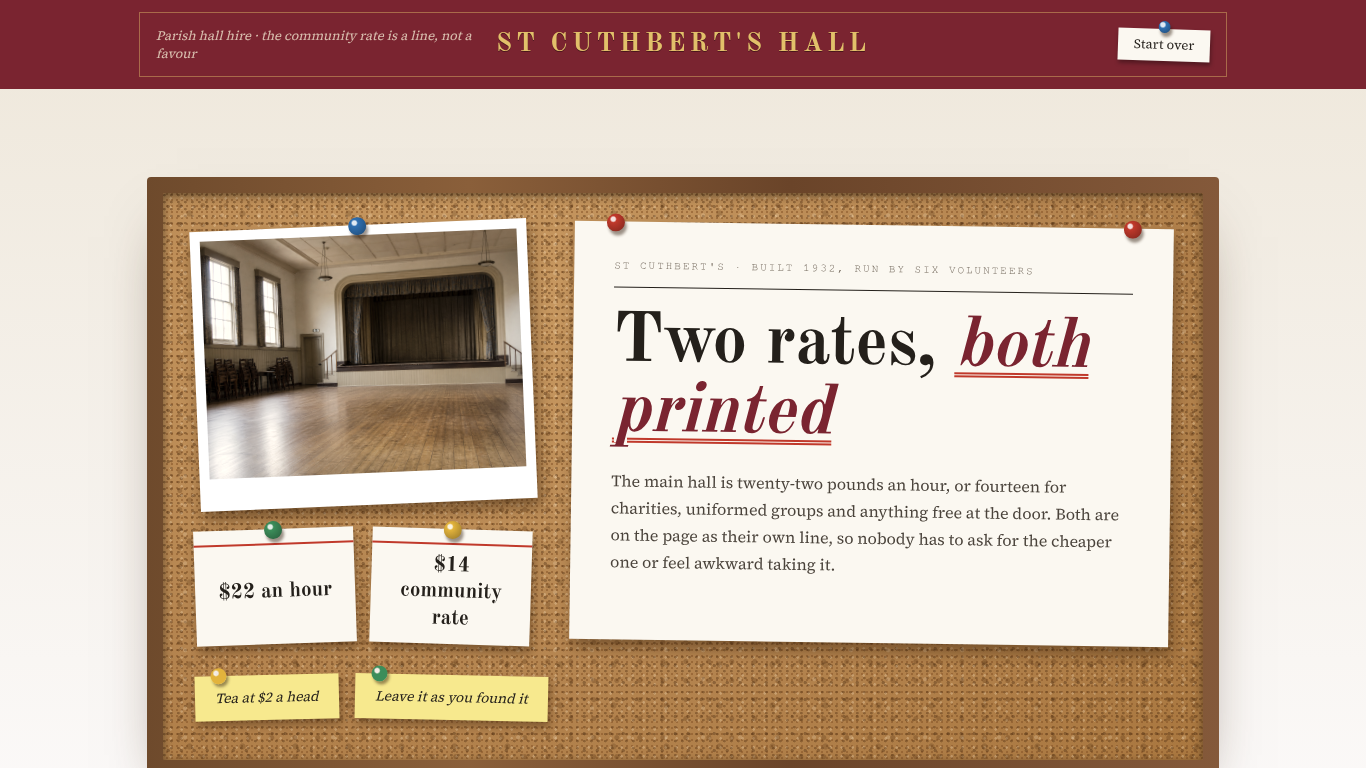
A church and parish hall rental booking form that prices the rooms per hour, kitchen and refreshments, and furniture, sound and setup, itemized on screen.
Shown as St Cuthberts Parish Hall, a sample business. The flow, the pricing logic and the quote it returns are the template; the name, the services and the prices are the sample's, and yours take their place.
3 customer paths · 9 steps · 9 priced items in 3 categories · itemized quote on the page — counted from the template itself.
 9:17
9:17Watch how this template wins events
How event venues answer every request with a real price, day or night, and get the work after it done by talking. One event followed from the first tap to paid.
Who this template is for.
Parish and community halls that quote the rooms per hour, kitchen and refreshments, and furniture, sound and setting up and want each request priced the moment it is made, with the itemized total on screen before anyone follows up.
Halls run by a volunteer with a paper diary, or venues with one rate for every user.
More on how Everybooking works for this industry: Event Venues.
What your customer goes through.
The first screen asks what they are booking. Each answer sets the path, and every path ends on a priced quote.
A charity or community group
Guides, a choir, a support group, anything free at the door. Take the community rate.
A private party
A birthday, a christening, a wake. The standard rate, and usually the kitchen too.
A meeting
Sixteen people round a table with a kettle. The committee room, an evening, done.
- 01Who is hiring?
- 02Hours And People
- 03The Rooms
- 04Kitchen And Refreshments
- 05Furniture, Sound And Setting Up
- 06Hall Rules
- 07Your Details
- 08The Hire, Priced
- 09The Hall Is Yours
Along the way it asks for the date, hours (1–14), people (5–140), so the lines priced per person, per hour or per mile can be multiplied out before the customer reaches the quote.
What it prices.
Sample prices from the demo, in US dollars. Your own rates, taxes and rules replace them the moment you launch.
The Rooms, Per Hour
- Committee Room, Per Hour$11
- Main Hall, Community Rate, Per Hour$14
- Main Hall, Per Hour$22
Kitchen And Refreshments
- Tea, Coffee And Biscuits, Per Head$2
- Crockery And Cutlery For A Hundred$18
- Kitchen And Servery$25
Furniture, Sound And Setting Up
- Tables And Chairs Set Out, Per Head$1
- The Upright Piano, Unlocked And Tuned$15
- Sound System And Hearing Loop$20
The rules it states up front.
Policies the sample puts on the request itself, so nobody finds them out by email later. Yours go in the same place.
Hall Rules
- Keys From The Vestry, Or A Code
- Leave It As You Found It, Or Pay Us To
- No Alcohol Sales Without Telling Us
How it closes.
Name, email and phone before the quote
The request is tied to a real person before the total is shown, so the follow-up has somewhere to go.
An itemized quote, on the page
Every chosen line, multiplied out, with the total. The customer sees it before they leave.
Final screen: “The Hall Is Yours”
The sample's closing screen. Its wording, like every other line here, is the sample's; yours replaces it.
Change your booking flow by asking your AI.
Everybooking runs its own MCP server. Connect Claude, ChatGPT or Grok to your Everybooking account, then describe the change in plain English. Your AI edits your booking flow: its questions and steps, its prices and deposit, its colors.
Requests like these, on a flow like this one
- Prices
“Change the price of Committee Room to match our rate card.”
- Questions
“Add a question after ‘Hours And People’ asking how they heard about us.”
- Look
“Match the colors and logo to our website.”
MCP access comes with both of our offers. The owner or an admin approves the connection and chooses Look only or Full access; edits need Full access. How to connect your AI.
Related templates.
See it working for event venues.
The 9-minute video: one event followed from the first tap to paid, and the work after it done by talking.
Watch the video (9:17)Already watched it?