
Coworking day pass booking form template
Or try it the way your customer would: the live demo opens at full width in its own tab.
Edit your flow from Claude, ChatGPT or Grok · MCP


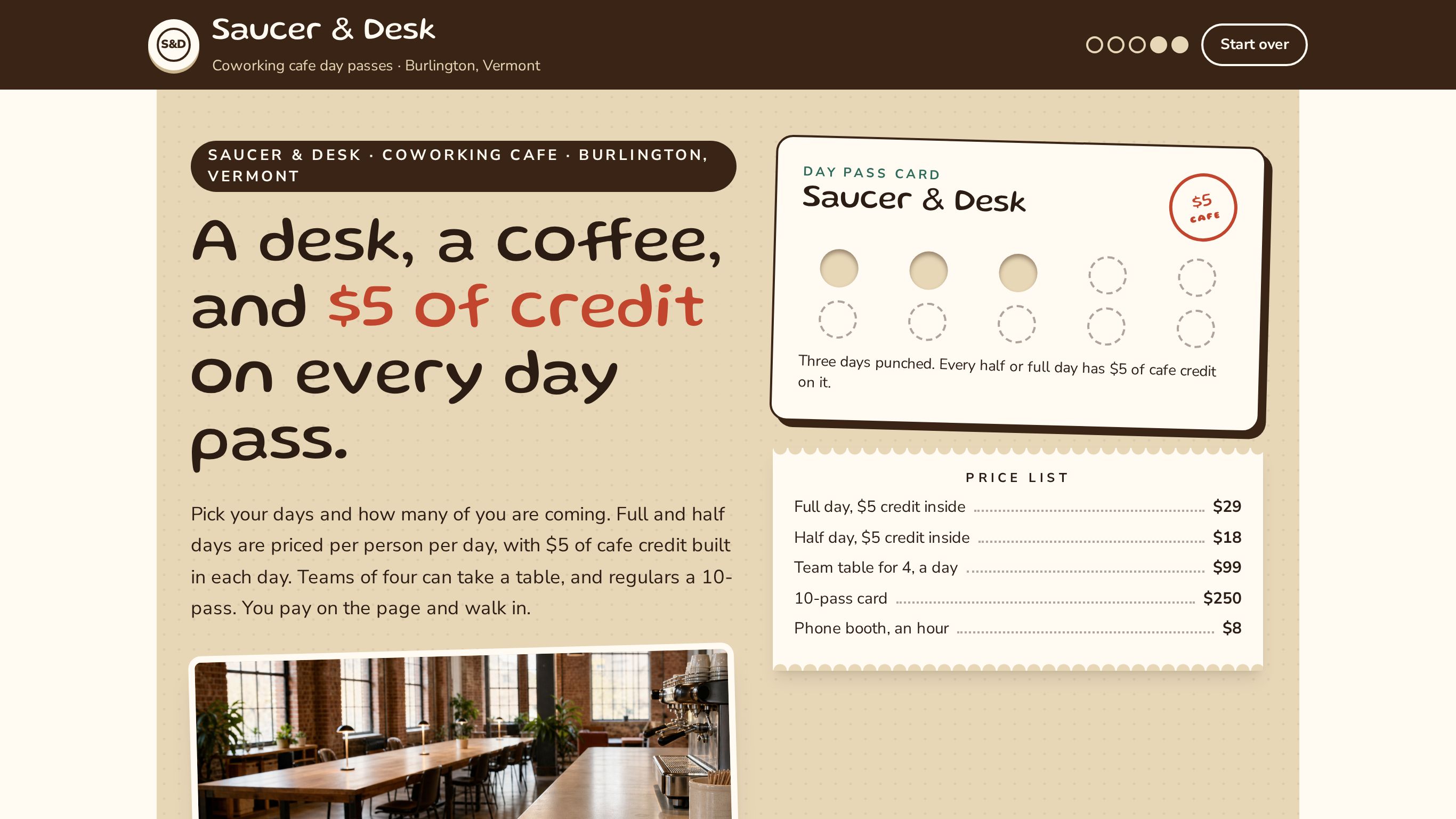
A coworking day pass booking that sells the seat with café credit built in, offers ten-pass and team passes, and takes payment in full on the spot.
Shown as Saucer & Desk, a sample business. The flow, the pricing logic and the quote it returns are the template; the name, the services and the prices are the sample's, and yours take their place.
2 customer paths · 33 steps · 9 priced items in 6 categories · itemized quote on the page · paid in full inside the flow · appointment booking built in — counted from the template itself.
 9:15
9:15Watch how this template wins offices
How coworking spaces and shared offices answer every request with a real price, day or night, and get the work after it done by talking. One office followed from the first tap to paid.
Who this template is for.
Coworking cafés and drop-in desk spaces that sell day and half-day passes per person, team tables, phone booth hours and ten-pass cards, paid up front.
Monthly desk memberships, private offices or meeting rooms by the hour.
More on how Everybooking works for this industry: Coworking Spaces.
What your customer goes through.
The first screen asks what they are booking. Each answer sets the path, and every path ends on a priced quote.
Book passes and pay
Full days, half days, a team table or a 10-pass. Pay now and walk in on your first day.
Then: Your Days → How Many People? → Pick Your Pass → Full-Day Passes → Phone Booth Hours
Take a free tour first
Twenty minutes with our host and a coffee on us. No charge, nothing to pay.
Then: Your Visit → Your Details → Your Tour Slip → Pick A Time → Request Sent
What it prices.
Sample prices from the demo, in US dollars. Your own rates, taxes and rules replace them the moment you launch.
Day Passes
- Saucer & Desk half-day pass, per person per day$18
- Saucer & Desk full-day pass, per person per day$29
- Saucer & Desk team pass, one table for 4, per day$99
Cafe Credit
- Saucer & Desk cafe credit, $5 a person each pass day, included in the pass—
Ten-Pass Cards
- Saucer & Desk 10-pass card, per person, never expires$250
Phone Booths
- Saucer & Desk phone booth, per hour$8
Extras
- Saucer & Desk day locker$5
- Saucer & Desk 50 prints$6
Tours
- Saucer & Desk tour, 20 minutes, free—
How it closes.
Name, email and phone before the quote
The request is tied to a real person before the total is shown, so the follow-up has somewhere to go.
An itemized quote, on the page
Every chosen line, multiplied out, with the total. The customer sees it before they leave.
Paid in full inside the flow
Where the flow ends on a payment, the customer pays the whole total there and the booking is confirmed the moment it clears.
Pick a day and a time
The customer can pick a time for a visit or a call instead of finishing on the spot.
Change your booking flow by asking your AI.
Everybooking runs its own MCP server. Connect Claude, ChatGPT or Grok to your Everybooking account, then describe the change in plain English. Your AI edits your booking flow: its questions and steps, its prices and deposit, its colors.
Requests like these, on a flow like this one
- Prices
“Add our three most-booked services with their prices.”
- Questions
“Add a question after ‘Your Days’ asking how they heard about us.”
- Look
“Match the colors and logo to our website.”
MCP access comes with both of our offers. The owner or an admin approves the connection and chooses Look only or Full access; edits need Full access. How to connect your AI.
Related templates.
See it working for coworking spaces and shared offices.
The 9-minute video: one office followed from the first tap to paid, and the work after it done by talking.
Watch the video (9:15)Already watched it?