
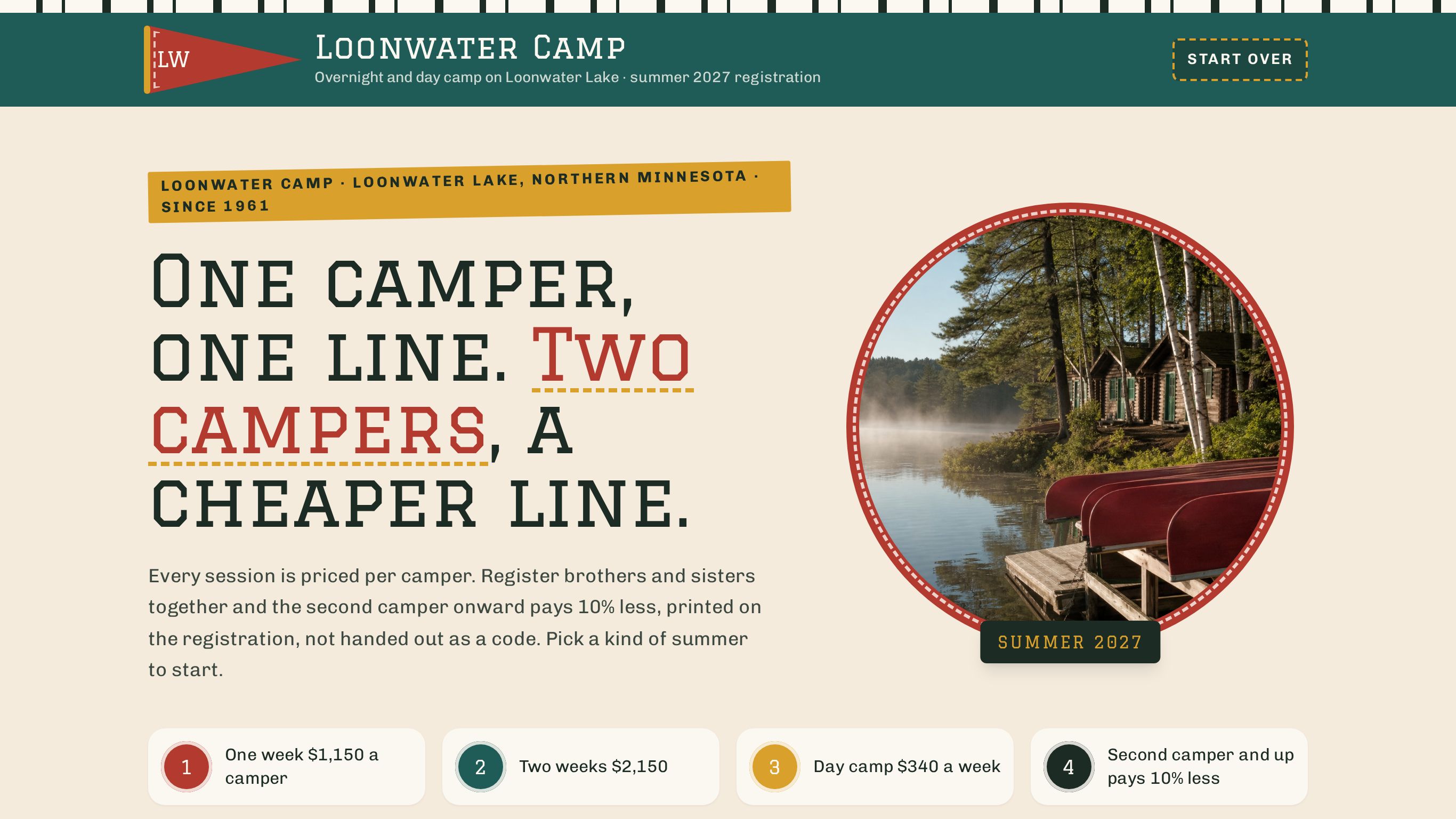
Summer camp registration form template
Or try it the way your customer would: the live demo opens at full width in its own tab.
Edit your flow from Claude, ChatGPT or Grok · MCP


A summer camp registration form that prices overnight sessions or day camp weeks per camper, applies the family rate automatically and itemizes the total.
Shown as Loonwater Camp, a sample business. The flow, the pricing logic and the quote it returns are the template; the name, the services and the prices are the sample's, and yours take their place.
2 customer paths · 10 steps · 15 priced items in 4 categories · itemized quote on the page — counted from the template itself.
 9:36
9:36Watch how this template wins registrations
How camps and outdoor schools answer every request with a real price, day or night, and get the work after it done by talking. One registration followed from the first tap to paid.
Who this template is for.
Overnight and day camps that sell dated sessions or weeks per camper and want parents to see the exact registration total, with the sibling rate already applied, before anyone follows up. Troop, church and club leaders can book a block and send families one registration link.
Drop-in programs with no fixed sessions, or camps that register only through a school or city portal.
More on how Everybooking works for this industry: Summer Camps.
What your customer goes through.
The first screen asks what they are booking. Each answer sets the path, and every path ends on a priced quote.
Overnight camp
One or two weeks in a cabin on the lake. Ages 8 to 16. Meals and every activity included.
Then: Overnight Sessions → Bus And Extras
Day camp
Monday to Friday, 9 to 4, home every night. Ages 5 to 11. Pick the weeks you need.
Then: Day Camp Weeks → Care And Extras
- 01How Many Campers
- 02How Camp Runs
- 03Parent Details
- 04Your Registration
- 05Your Registration Is Ready
Along the way it asks for campers (1–6), so the lines priced per person, per hour or per mile can be multiplied out before the customer reaches the quote.
What it prices.
Sample prices from the demo, in US dollars. Your own rates, taxes and rules replace them the moment you launch.
Overnight Sessions
- Loonwater Session A · June 27 to July 3$1,150
- Loonwater Session D · August 1 to 7$1,150
- Loonwater Session B · July 4 to 17$2,150
- Loonwater Session C · July 18 to 31$2,150
Overnight Extras
- Loonwater canteen card$40
- Loonwater camp bus seat, round trip$95
- Loonwater riding program$260
Day Camp Weeks
- Loonwater Day Camp · week of August 2$340
- Loonwater Day Camp · week of July 12$340
- Loonwater Day Camp · week of July 19$340
- Loonwater Day Camp · week of July 26$340
- Loonwater Day Camp · week of July 5$340
Day Camp Extras
- Loonwater camp shirt and water bottle$28
- Loonwater swim lessons$75
- Loonwater extended care pass$220
How it closes.
Name, email and phone before the quote
The request is tied to a real person before the total is shown, so the follow-up has somewhere to go.
An itemized quote, on the page
Every chosen line, multiplied out, with the total. The customer sees it before they leave.
Final screen: “Your Registration Is Ready”
The sample's closing screen. Its wording, like every other line here, is the sample's; yours replaces it.
Change your booking flow by asking your AI.
Everybooking runs its own MCP server. Connect Claude, ChatGPT or Grok to your Everybooking account, then describe the change in plain English. Your AI edits your booking flow: its questions and steps, its prices and deposit, its colors.
Requests like these, on a flow like this one
- Prices
“Add our three most-booked services with their prices.”
- Questions
“Add a question after ‘How Many Campers’ asking how they heard about us.”
- Look
“Match the colors and logo to our website.”
MCP access comes with both of our offers. The owner or an admin approves the connection and chooses Look only or Full access; edits need Full access. How to connect your AI.
About the summer camps template.
- Can I change a booking flow like this with Claude or ChatGPT through MCP?
- Yes. Everybooking runs its own MCP server. Once your booking flow is live, connect Claude, ChatGPT or Grok to your Everybooking account. The owner or an admin approves the connection and chooses Look only or Full access; with Full access, ask for changes in plain English: add or remove a question, change a price or the deposit, or match your colors. Your AI makes the edit in your account. MCP access comes with both of our offers: when we build your booking flow for you, you can edit that flow through it, and a full setup connects your AI to the whole system.
Related templates.
See it working for camps and outdoor schools.
The 10-minute video: one registration followed from the first tap to paid, and the work after it done by talking.
Watch the video (9:36)Already watched it?