
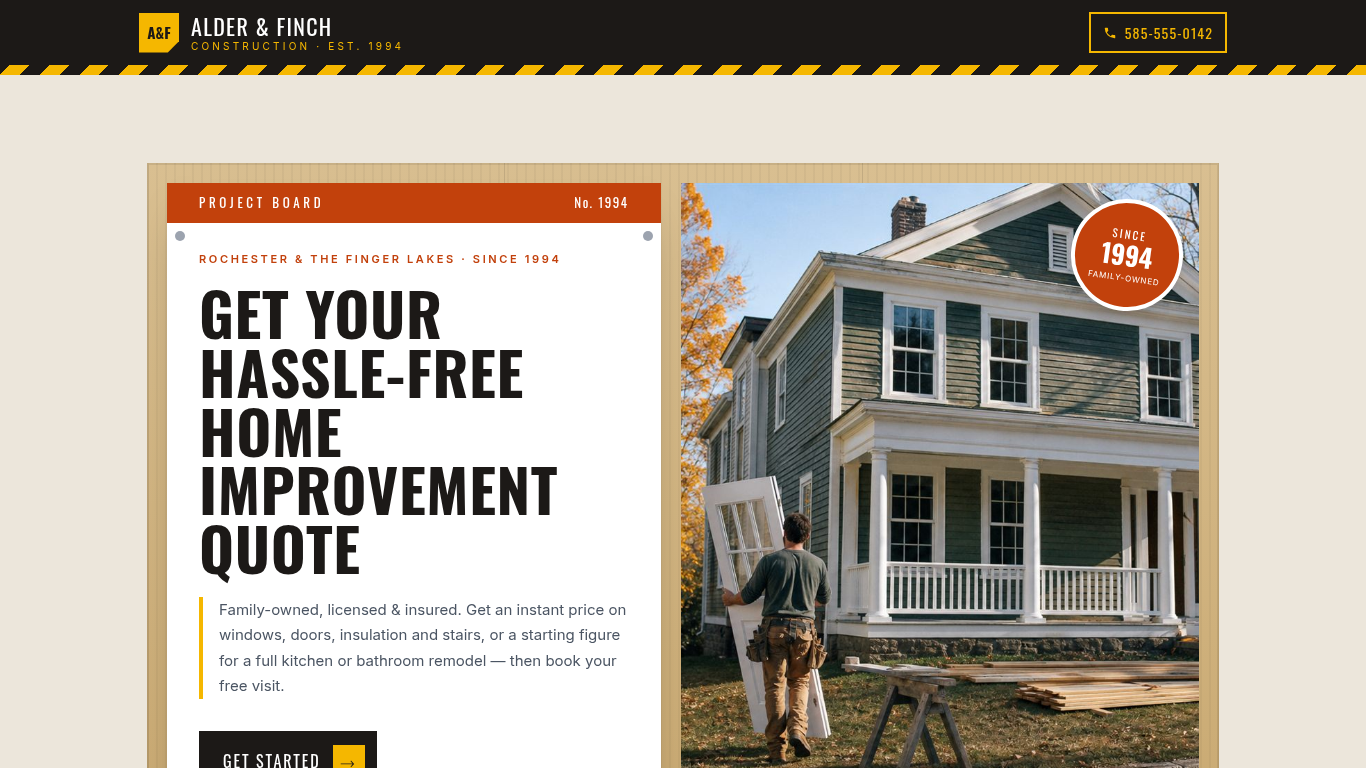
Construction estimate & quote template
Or try it the way your customer would: the live demo opens at full width in its own tab.
Edit your flow from Claude, ChatGPT or Grok · MCP


A contractor estimate and quote form that prices windows, doors, insulation and stairs on the spot, shows a starting figure for remodels, books the free visit.
Shown as Alder & Finch Construction, a sample business. The flow, the pricing logic and the quote it returns are the template; the name, the services and the prices are the sample's, and yours take their place.
3 customer paths · 12 steps · 6 priced items in 2 categories · itemized quote on the page · appointment booking built in — counted from the template itself.
 9:30
9:30Watch how this template wins projects
How construction and remodeling companies answer every request with a real price, day or night, and get the work after it done by talking. One project followed from the first tap to paid.
Who this template is for.
Contractors and home improvement firms that can price quick jobs from a standard installed rate, show a starting figure for a full remodel, and want every request to end with a visit on the calendar rather than a callback.
One-person handyman services with no fixed rates, or firms that need a site survey before they can show any number.
More on how Everybooking works for this industry: Home Remodeling Contractors.
What your customer goes through.
The first screen asks what they are booking. Each answer sets the path, and every path ends on a priced quote.
Quick Home Improvement
Windows, interior doors, insulation or stairs & railings — get an instant priced quote.
Then: Quick Home Improvements
Full Kitchen or Bathroom Remodel
Custom design-build remodeling with a free in-person or virtual estimate.
Then: Full Remodel Projects
Commercial or Historic Property
Business, rental, or historic-building repairs and updates.
Then: Commercial & Historic Property → Scope of Work
- 01Target Date
- 02Your Contact Info
- 03Your Quote
- 04Book Your Free Estimate Visit
- 05Quote Sent
Along the way it asks for the date, so the lines priced per person, per hour or per mile can be multiplied out before the customer reaches the quote.
What it prices.
Sample prices from the demo, in US dollars. Your own rates, taxes and rules replace them the moment you launch.
Quick Home Improvements
- Interior Doors Installation$800
- Windows Replacement$1,200
- Insulation Installation$3,500
- Stairs & Railings Installation$5,000
Full Remodel Projects
- Bathroom Remodeling$18,000
- Kitchen Remodeling$25,000
How it closes.
Name, email and phone before the quote
The request is tied to a real person before the total is shown, so the follow-up has somewhere to go.
An itemized quote, on the page
Every chosen line, multiplied out, with the total. The customer sees it before they leave.
Book your free estimate visit
The customer can pick a time for a visit or a call instead of finishing on the spot.
Final screen: “Quote Sent”
The sample's closing screen. Its wording, like every other line here, is the sample's; yours replaces it.
Change your booking flow by asking your AI.
Everybooking runs its own MCP server. Connect Claude, ChatGPT or Grok to your Everybooking account, then describe the change in plain English. Your AI edits your booking flow: its questions and steps, its prices and deposit, its colors.
Requests like these, on a flow like this one
- Prices
“Change the price of Interior Doors Installation to match our rate card.”
- Questions
“Add a question after ‘Target Date’ asking how they heard about us.”
- Look
“Match the colors and logo to our website.”
MCP access comes with both of our offers. The owner or an admin approves the connection and chooses Look only or Full access; edits need Full access. How to connect your AI.
About the construction & home improvement template.
- Which jobs get an instant price?
- The quick home improvements: windows, interior doors, insulation, stairs and railings. The sample prices them at a standard installed rate and confirms the exact figure at the free visit.
- What happens with a kitchen or bathroom remodel?
- The request shows a starting investment for the rooms chosen, then books a free in-person or virtual estimate. The exact price is set after that visit, with no charge on the day.
- Does the customer pay in the flow?
- No. Every path ends on the itemized quote and a booked visit; the sample takes no card, because the visit is where the exact price is confirmed.
- Can I change a booking flow like this with Claude or ChatGPT through MCP?
- Yes. Everybooking runs its own MCP server. Once your booking flow is live, connect Claude, ChatGPT or Grok to your Everybooking account. The owner or an admin approves the connection and chooses Look only or Full access; with Full access, ask for changes in plain English: add or remove a question, change a price or the deposit, or match your colors. Your AI makes the edit in your account. MCP access comes with both of our offers: when we build your booking flow for you, you can edit that flow through it, and a full setup connects your AI to the whole system.
Related templates.
See it working for construction and remodeling companies.
The 10-minute video: one project followed from the first tap to paid, and the work after it done by talking.
Watch the video (9:30)Already watched it?